What it looks like
The site signs. The office gets the pay and the invoice.
These screens are from the sample timesheet, with made-up people, rates and rules. Try it yourself →
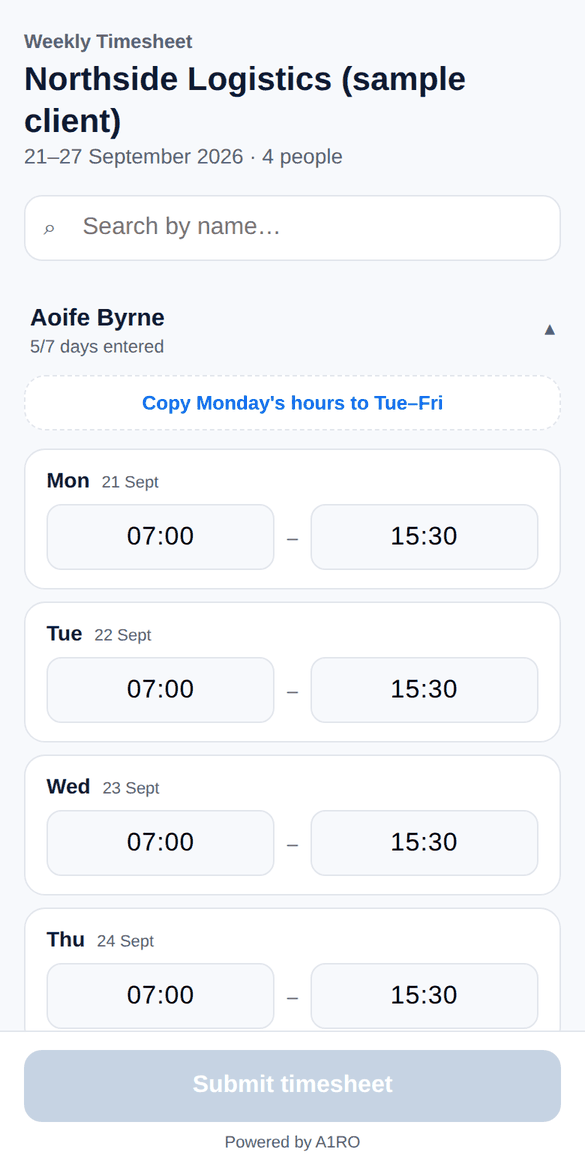
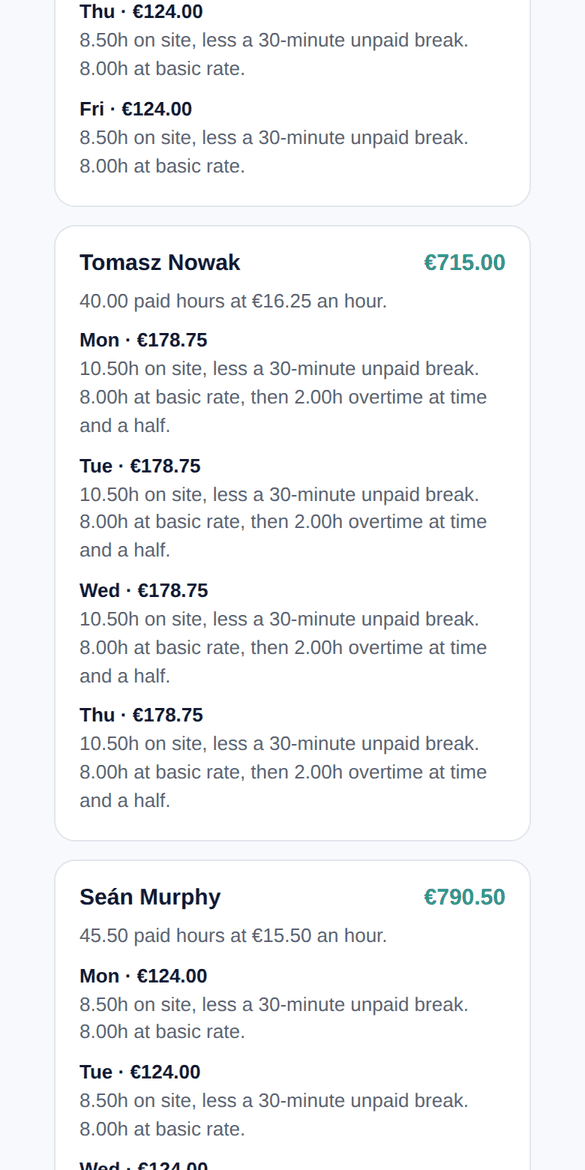
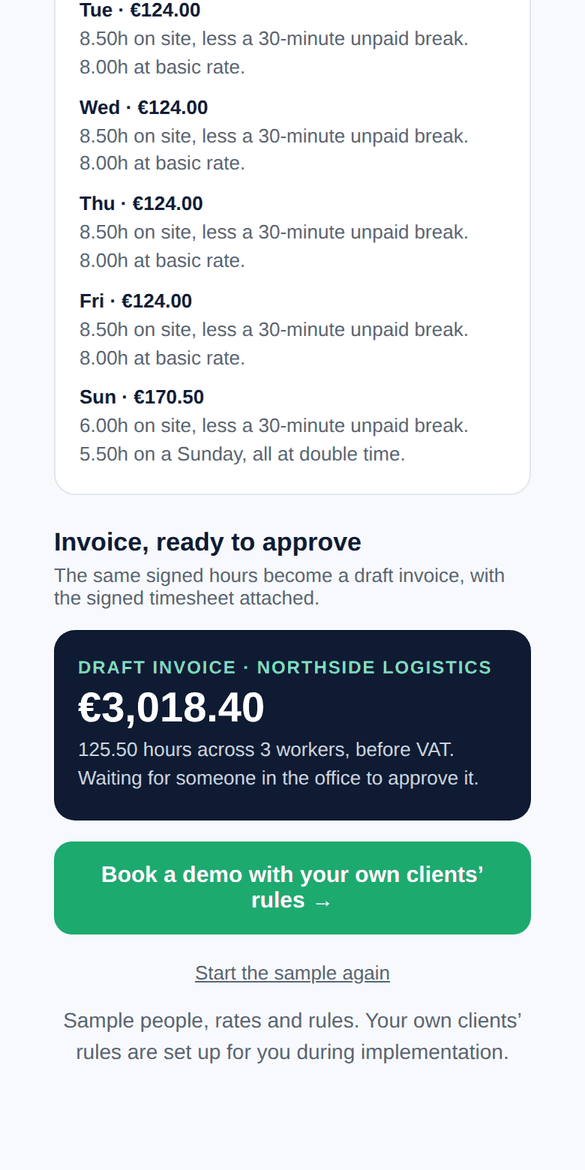
A1ROTime turns a week of hours into a signed timesheet — and a signed timesheet into a ready-to-approve invoice — without anyone in the office chasing sheets or re-typing rates. Built for staffing agencies and multi-site employers running multiple sites, multiple pay rules, and hundreds of shifts a week.
Want to see it for yourself? Try a sample timesheet → It takes a minute and nothing is saved.
Each week A1ROTime builds a timesheet for every client and site from your live roster and rates, and gives you a link to send to the person who signs it off.
The site contact fills in the week on a phone, tablet or desktop and signs. A sheet can't be submitted until every worker's week is complete.
Each client's pay rules are applied automatically. A draft invoice with the signed timesheet attached lands in your accounting software, and payroll exports in your import format.
These screens are from the sample timesheet, with made-up people, rates and rules. Try it yourself →
Different clients pay and bill differently. A1ROTime holds each client's rules and shows its working, so nobody is calculating overtime by hand on a Monday morning.
Daily or weekly thresholds, with separate pay and bill multipliers for each tier.
Saturday, Sunday and Irish public holiday rates, set per client.
Unpaid break deductions and night-shift premiums applied automatically.
Flat shift rates and recurring allowances or deductions handled per worker.
Both run through the same sheet and the same sign-off.
Every rule that fires is written out beside the figure, and every change is logged.
UK timesheet tools stop at approved hours and leave the Irish rules to your payroll software. A1ROTime applies them on the timesheet itself, so the payroll export and the invoice already match.
PAYE and RCT subcontractors on the same sheet, each paid and invoiced the right way, with RCT 0% handled on construction invoices.
Construction Workers Pension Scheme contributions calculated per day worked, at the current rates.
Every Irish public holiday built in, including St Brigid's Day, with each client's holiday rate applied automatically.
One weekly payroll CSV for every client, ready to load into your Irish payroll software.
Clients who insist on their own format can send it in. It is imported and run through the same pay rules and invoicing.
One link per site, each with its own sign-off and its own draft invoice, for clients with several locations.
The roster and rates are fixed on each timesheet when it goes out, so a later change in JobAdder never alters a sent or signed sheet.
A signed sheet can only be edited or voided with a reason, and every change is logged.
See true margin per client, site and worker, with employer costs included.
A1ROTime was built for Dangan Group and runs its weekly timesheets, payroll calculation and client invoicing across both Dangan Group and its AllSite Staffing brand.
Temp and contract desks with many clients, each with its own pay and bill rules. Roster and rates come from your ATS/CRM, signed timesheets come back from each site, and a draft invoice is ready for every client.
Cleaning, security, facilities, logistics and construction firms with hourly staff across several sites. A signed timesheet from every site supervisor, and pay calculated to your rules, ready for payroll.
By industry: construction recruitment agencies · industrial and logistics agencies · multi-site employers
Only workers active that month. No charge for client approvers.
Then €100 per additional admin user per month.
Every client's pay and bill rules configured for you, however many clients you have.
| Workers | Admin users | Per month | First year |
|---|---|---|---|
| 50 | 1 | €150 | €1,650 |
| 200 | 3 | €800 | €8,800 |
| 500 | 5 | €1,900 | €20,900 |
First year counts the free first month. A1RO is not VAT registered, so there is no VAT to add.
First month free, then month to month. No minimum term. See full pricing → · Compare with Timesheet Portal and Bullhorn →
No statutory rate, the equal treatment rule and the 48-hour limit.
St Stephen's Day on a Saturday, the 40-hour check and shutdown notice.
Who qualifies, the 40-hour rule and who pays.
What each costs in office time, and what to look for.
Tell us your roster size and we'll show you what it costs before we talk.
We only use these details to reply to you. See our privacy policy. Prefer email? kevin@a1ro.ie
Free tools: temp worker cost calculator · public holiday pay calculator · what changes for employers in January 2027
A1ROTime syncs your roster and rates from your ATS/CRM and sends draft invoices to your accounting software. Tell us what you use and we'll confirm the connection before you commit to anything.
No. They open a secure link, enter the hours for their site and sign. It works on a phone, tablet or desktop, and a sheet can't be submitted until every worker's week is complete.
Nothing changes on that sheet. The roster and rates are locked onto each timesheet when it is generated, so a later change in your ATS/CRM never alters a sheet that has already been sent or signed.
Yes. Every rule that fires, from overtime and break deductions to Sunday rates and night premiums, is written out in plain English beside the figure, so payroll queries can be answered in seconds.
Client-format timesheets can be imported and run through the same pay rules and invoicing. We set this up for each client before go-live.
€3 per active worker per month, with your first admin user included and €100 per month for each additional admin user. No setup fee: we configure every client's pay rules for you. The first month is free, then month to month.
That is what it saves Dangan Group and AllSite Staffing. See what it would do for you.